
Blog Marc van Kessel
We spotted the problem a day before the client noticed it
Last week we detected a problem in a client's work preparation a day before their own organisation noticed it. How application management after delivery works at our company.

The day after we reported the problem, the ERP manager asked us to investigate that very same problem.
A custom application keeps running day in, day out in a client’s operations, often 24/7, and we stay closely involved. Not only with the code we delivered, but especially with the smooth running of the daily processes that rely on the application. After all, when a process breaks down it immediately costs time and money.
For us, application management is a shared responsibility. Last week a real-world example came along that shows nicely what our active monitoring looks like.
An alert that came in before anyone noticed anything
It started with a few logging emails. The client’s custom application automatically forwards anomalies to our support environment. This time it was a problem in production work preparation, an alert that came in before a user was even affected by it.
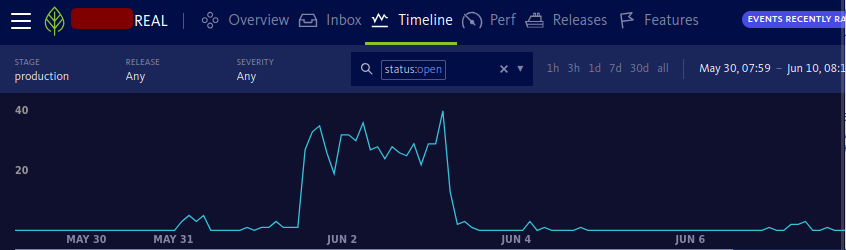
In a case like this, the procedure is fixed. We log in to our support environment and see exactly where things go wrong: in which process, at which action and for which user. All alerts from the application come in centrally, and the context of the error is included right away.
A look under the hood: what we see in our support environment.
We see exactly where in the code the alert is generated:
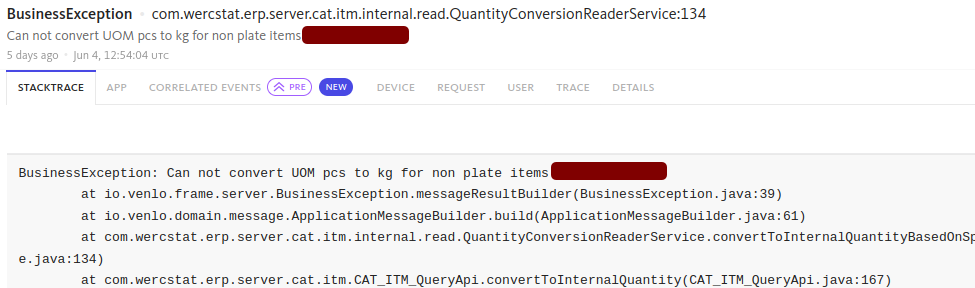
stack trace with source-code details… and what the user was doing at that moment:
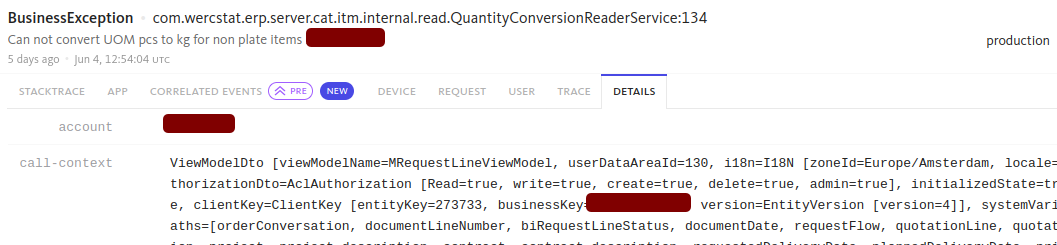
detail lines with user and order dataWe then inform the client’s IT department, and where possible the person ultimately responsible for the process, so the problem is known and can be followed up. We clearly explain what is going on, what is causing it and how to fix it. That lets the client get to work straight away, while we keep tracking the status in the background.
The next day, from an unexpected angle
An alert like this does not always have to be picked up by the client with urgency. In this case it concerned work preparation; that is still a good while before production actually starts.
The day after our alert, our support team received a request from the ERP manager to investigate a problem in order processing. It turned out to be exactly the same issue we had reported a day earlier, just one step further down the chain.
It turned out to be exactly the same issue we had reported a day earlier.
For us, this is the ultimate confirmation that our monitoring does what it should. The anomaly was flagged in time, before it could cause real blockages further down the process. And that is exactly what we care about: not passively waiting until the client reports a disruption, but flagging it ourselves, thinking along and keeping the processes flowing together.
What was going on?
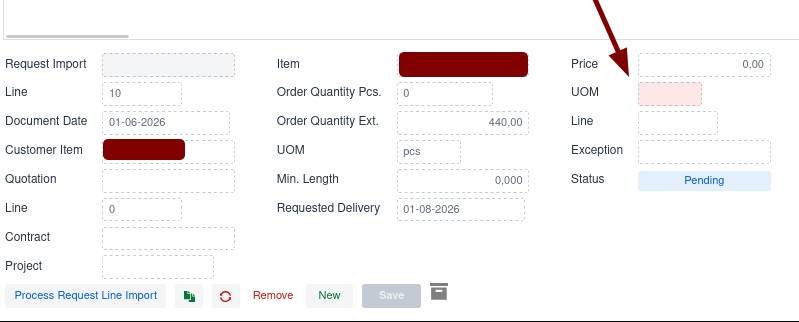
The cause did not lie with our custom work. Client orders come in by email as a
PDF and are imported directly into the system. In this case the item definition
was missing in the legacy ERP system our application communicates with. As a
result it was not possible to enrich the client order with pricing information.
We reported the exact cause to the client straight away, a missing price unit:
Part of the standard service
The same monitoring tools we use to track the system, we also make available to the client’s IT department. Anyone who wants to manage it themselves can. Anyone who prefers to outsource it leaves it to us. The insight is the same in both cases.
If an alert is caused by our custom work, we fix it remotely, if necessary directly with a hotfix or a new software release.
More about how we organise management after delivery is on the approach page. Questions about that? Feel free to get in touch.